consumers:
  - entity: sensor.wallbox_power
    name: Wallbox
    icon: mdi:ev-station
    position: top                            # fixed at the top (top | bottom)
    show: condition                          # keep it in the list: always | condition
    condition:                               # while the cable is plugged in
      entity: binary_sensor.car_charge_cable
      operator: "="
      value: "on"
    indicators:
      ring:
        entity: sensor.car_battery_level     # the car, in %
idle_value: ring # without power show the chargeWallbox and EV
A wallbox is a consumer like any other. The car’s state of charge comes from the car’s own integration, not from the wallbox - Home Assistant does not link the two, so the consumer is told which one belongs to it.
Try it: the wallbox charges for a minute and the ring around its icon fills up; then it pauses for half a minute, and the row shows the charge instead of the power. In Home Assistant a tap on the row shows power and charge over time.
This is the YAML:
In the editor the consumer unfolds; under Display are Position in the list, Show in the list with the condition and, under Indicators, the Ring with the state of charge entity:
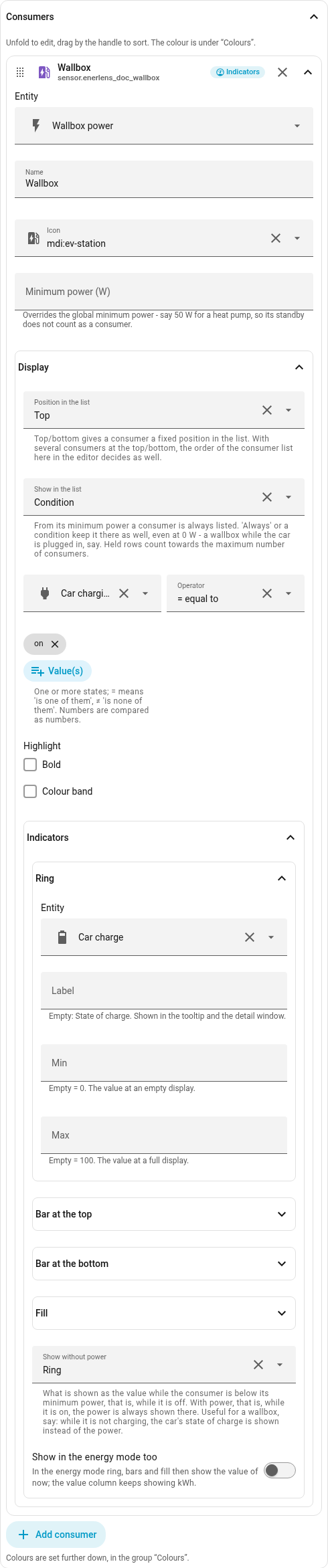
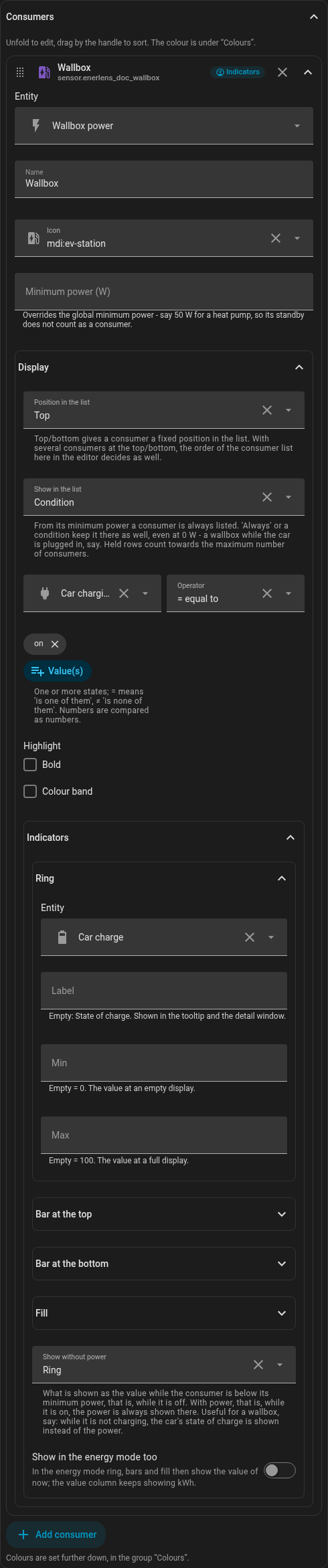
A thin ring around the icon shows the charge. While the car charges, the row
shows the power; otherwise it shows the charge instead (idle_value: ring), so
the row needs no extra room. With the condition the row stays in the list as long as the car is
plugged in - full and at 0 W too; more under
Extra values at the consumers. The condition can look
at a wallbox status sensor as well: operator: "!=" with
value: [available, none] means "plugged in, except in these states". When the car is asleep and its sensor unavailable, the last known
charge is shown grey. Hover the icon for the value; a tap on the row opens a
window with the power and the charge below it (see
Energy). It is not limited to cars - a power station
works the same way, and so does a 3D printer with its print progress. "State of
charge" does not fit there: under Label (in YAML label) put e.g. "Print
progress" instead - in the tooltip and in the detail window.
Ring, bars, fill, pinning and highlighting work for every consumer, not only the wallbox: see Extra values at the consumers.